Before you touch anything
You'd lose the evidence.
One you trust, to look for help and change passwords.
With dates and screenshots. If it's serious, let someone you trust know.
What's going on? Start here
 I'm going to a strike or a protestWhat to do with your phone before, during and after.
 I got an alert from Apple, Google or WhatsAppHow to tell if it's real and what to do.
 I've lost service, I'm getting codes or my calls are acting strangeThe urgent part first. Then, five minutes.
 Someone knows what I write on WhatsApp or by emailCheck which devices your account is open on.
 I think I'm being spied on or someone put something on my phone or computerFifteen minutes. Steps for iPhone, Android and computer.
 Could it be a wiretap?What you can find out and what the law says.
 I'm here to set up the labZero Breach Toolkit, MVT and PiRogue.
Where the snooping actually happens

What exactly is each one?There are five different cases, and one can't be seen from the phone.
| What it is | Can you see it? |
|---|---|
| Call forwarding or SIM swap. Your calls or texts go somewhere else. | Yes. Step 1. |
| Account open somewhere else. WhatsApp Web, Telegram or Google on a device that isn't yours. This is one of the most common cases. | Yes. Step 2. |
| Spy app (stalkerware). Someone had your phone in their hands and installed something on it. | Often, yes. Step 2. |
| Commercial spyware (Pegasus, Predator, Graphite). Aimed at journalists, activists and specific people. It can get in without you touching anything. | Not with the naked eye. It takes a lab, and even then it may not show up. Step 3. |
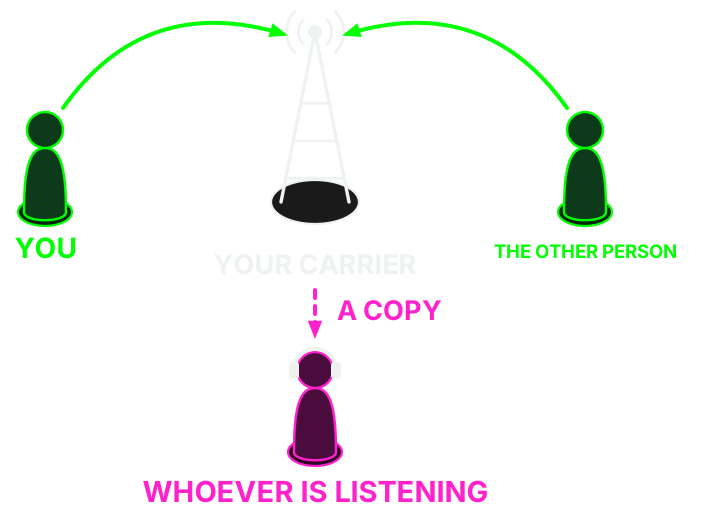
| Court-ordered wiretap. The carrier does it on a court's orders. | No. It leaves no trace on the phone and stays secret while it lasts. Once it ends, you have a right to know. |
Strikes and protests
Before
- Make a backup.
- Set a long passcode and turn off Face ID or fingerprint.
- Agree on a meeting point in case there is no network.
- Consider carrying a phone with little data, or none.
- Go over your linked devices and turn on two-step verification.
- If you're organizing something, read about fake cell towers.
During
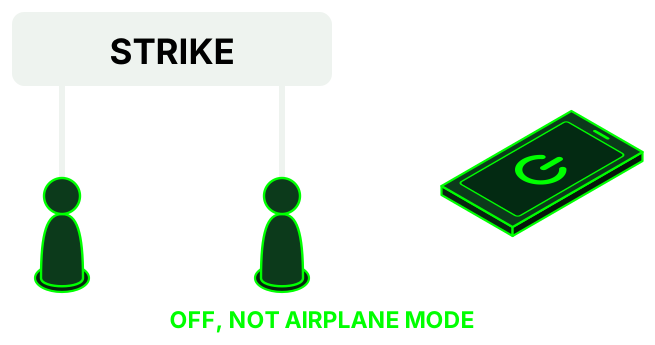
- If you fear it will be taken, turn it off: airplane mode is not enough.
- Take photos from the lock screen, without unlocking.
After
- Blur faces before posting.
- If your phone was taken, even briefly, check it: step 2.
Based on the EFF guide (opens in a new tab), written for the US, and on TeknoKasa's (opens in a new tab). This isn't legal advice: to find out what to do if you're asked for your phone in Spain, talk to your lawyer or an anti-repression collective.
TeknoKasa guides (Madrid): phone locking and arrest (opens in a new tab) EFF's guide to attending a protest (opens in a new tab)Alert from Apple, Google or WhatsApp
- Don't touch links or give out codes. In these alerts, Apple never asks you to click links, install anything or give passwords or codes. If it asks, it's fake.
- Check without using the message. For Apple, type account.apple.com (opens in a new tab) in by hand: if it's genuine, a notice appears at the very top. For Google or WhatsApp, open the app or website yourself, not the link.
- If it's real: it means they tried, not that you've been infected. Don't delete, don't restore and don't update.
- Get help: helplines.
Calls and your carrier
You're going to dial a few codes and make one call.
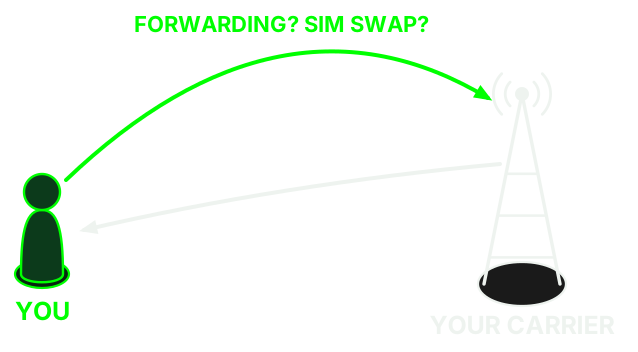
Urgent. Suddenly no signal, plus codes or alerts you didn't ask for? It could be a SIM swap.
- Call your carrier now from another phone. If the short number doesn't work from another line, find the long one on their website.
- Change your email and bank passwords from a device you trust.
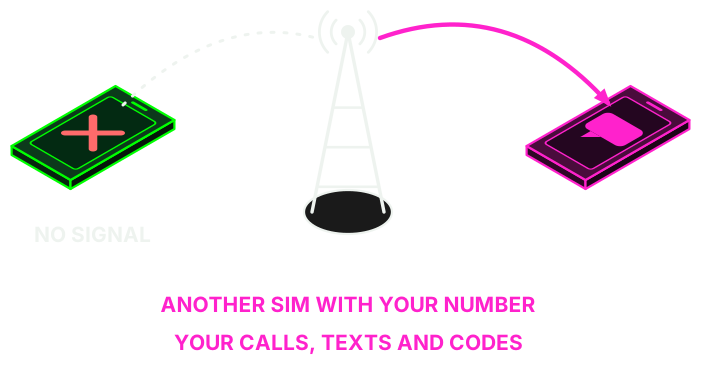
1.1 Check for call forwarding
Open the Phone app, dial the code as if it were a number and press call. Take a photo or screenshot of the result before you change anything.

| Dial | Tells you if calls are being forwarded… |
|---|---|
*#21# | all of them, always. This is the one that matters most. |
*#61# | when you don't answer. |
*#62# | when you have no signal or your phone is off. |
*#67# | when you're on another call. |
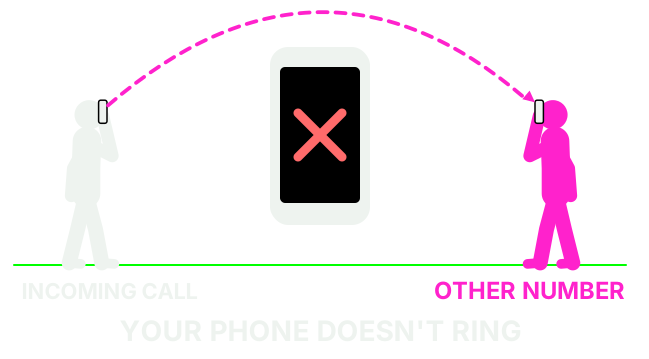
1.2 What it means
There's no forwarding. That's all it means: it says nothing about spy apps or wiretaps.
- It is usually your voicemail: that is normal.
- Ask your carrier whether that number is theirs.
- If it is not, remove it with
##61#,##62#or##67#.
That doesn't mean anything bad: some codes don't work with calling over 4G (VoLTE). Check your carrier's app or ask them by phone.
Your calls are going to that number. Your phone doesn't even ring.
- Take a photo of the screen.
- Dial
##21#to remove it. - Dial
*#21#again: it should say "disabled". - Call your carrier and ask when it was turned on.
- Change your important passwords from another device.
1.3 Remove any forwarding you don't want
##21#,##61#,##62#,##67#each remove their own.##002#removes them all at once. Careful: that includes voicemail forwarding, so if you use voicemail you may have to turn it back on.
You can also check it in the settings:
- iPhone: Settings > Apps > Phone > Call Forwarding.
- Android: Phone app, its settings, then Call forwarding.
The *#06# hoax. There's a rumor that if you dial *#06# and nothing comes up, you're tapped. That code only shows your IMEI, the phone's serial number. It detects nothing.
1.4 Call your carrier
| Carrier | Phone | Hours |
|---|---|---|
| Movistar | 1004 | Every day, 9:00 to 22:00 |
| Vodafone | 22123 | 24 hours |
| Orange | 1470 | Monday to Saturday, 9:00 to 22:00 |
| Yoigo | 622 622 622 622 from another carrier | 24 hours |
| O2 | 1551 | Every day, 9:00 to 22:00 |
| Digi | 1200 | Every day, 7:00 to 24:00 |
Different carrier, or a number that doesn't answer: look on your bill or their website. If you don't trust your line, call from another phone.
Ask exactly this
- Is there any active call forwarding on my line? To what number?
- Has a replacement SIM been issued or my line moved to eSIM recently? When and where?
- Are there other lines in my name, or any request to transfer my number or change the account holder?
- What protections do you have against SIM swaps? I want them turned on.
While you're at it, change your voicemail PIN if it's still the factory one.
And if it's a court-ordered wiretap
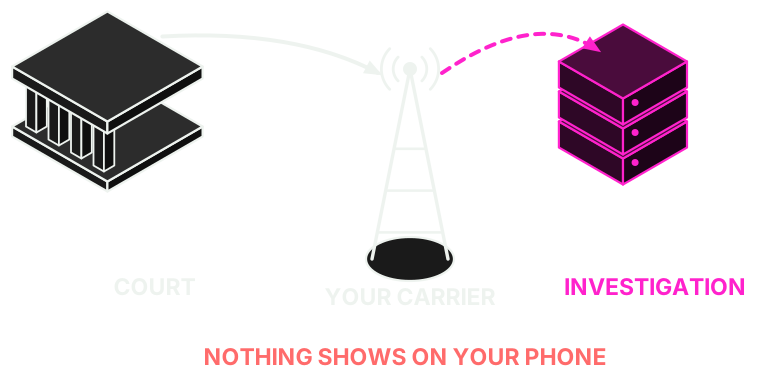
- Neither forwarding codes nor calling your carrier will reveal it.
- While it lasts, it is secret.
- When it ends, you have the right to be told by the court, with exceptions.
What the law says, point by point
- Forwarding codes won't show it either. They show your line's normal forwarding settings. A wiretap doesn't forward the call: the network makes a copy, and the technical standard (3GPP TS 33.106) (opens in a new tab) requires that it neither alters your services nor gives any sign.
- They won't tell you if you call. The carrier is legally bound to secrecy and can be charged with disobedience if it breaks it (LECrim, art. 588 ter e (opens in a new tab)). A "we don't see anything odd" doesn't rule one out.
- While it lasts, it's secret: it's handled in a separate, secret case file (art. 588 bis d (opens in a new tab)).
- Once it ends, you do have a right to know. Parties to the case get a copy of the recordings and transcripts. And the court must notify the people who appear in the intercepted communications, unless that's impossible, requires disproportionate effort or would harm future investigations (art. 588 ter i (opens in a new tab)).
- If you think there's an open case against you, the person who can ask is your lawyer, at the court.
- Data held by the police: you can request it, but they can refuse so as not to harm an investigation. In that case you can exercise the right through the AEPD, Spain's data protection agency (LO 7/2021, arts. 24 and 25 (opens in a new tab)).
And if it's a remote search of the phone (art. 588 septies)€2.5 million · Fortier Europe · manufacturer not disclosed
In October 2026 the BOE, Spain's official gazette, reported (opens in a new tab) that the Guardia Civil had bought a system for "remote searches" of phones for €2,066,115.70 (about €2.5 million with VAT). It can "host software" on Android and iOS for "transparent access" to content and communications.
The contract went to Fortier Europe, based in Boadilla del Monte, through a negotiated procedure without publication and with a single bid, citing the manufacturer's exclusivity.
What isn't known: who makes it, how it's installed and whether it's Pegasus. The notice doesn't say, and pinning it on a specific product today would be speculation.
The law (LECrim, art. 588 septies (opens in a new tab)) requires court authorization and limits it to certain offenses, for one month, extendable up to three. Earlier, Citizen Lab documented (opens in a new tab) at least 65 people in Catalan pro-independence circles targeted with Pegasus and Candiru.
Your line data, in writing
What you can ask your carrier for is your own data, using the right of access (opens in a new tab) in the RGPD (GDPR), art. 15. They have one month to reply, and the AEPD has a form (opens in a new tab).
Still unsure? Check your phone ↓Check your phone, your computer and your accounts
You're going to look at what's open and what's installed.
If you have a strong suspicion (a spyware alert, or you are a journalist or activist and something specific happened):
- Don't restore or delete anything: you lose the evidence.
- Don't update and, if you can, ask before restarting.
- Looking through menus is fine.
- Go to step 3.
2.1 Start with your accounts
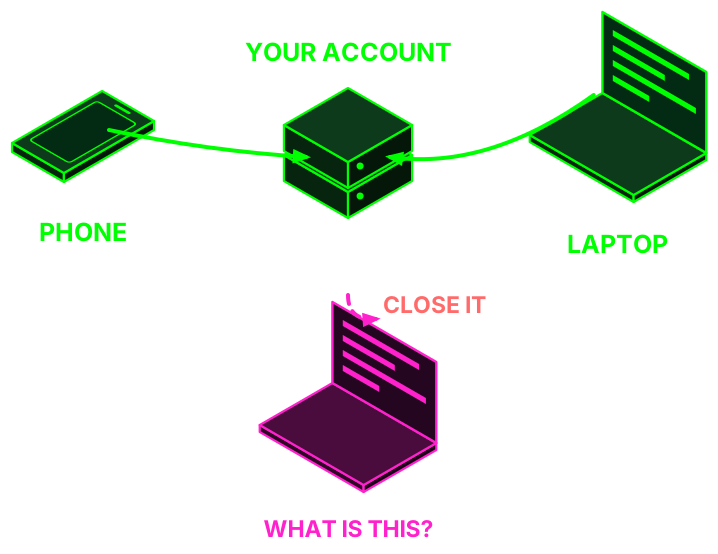
It's the quickest check and the one that most often finds the problem. Take a screenshot, then close anything you don't recognize:
- WhatsApp: Settings > Linked devices. Also turn on Settings > Account > Two-step verification.
- Signal: Settings > Linked devices.
- Telegram: Settings > Devices.
- Google: myaccount.google.com/device-activity (opens in a new tab).
- Email: look in the settings for forwarding rules or filters you didn't set up.
Don't scan a QR code to "verify" anything unless you started the linking yourself.
Nothing strange and they still know what you write? Get help.
Then change your passwords from a device you trust, not the one you suspect.
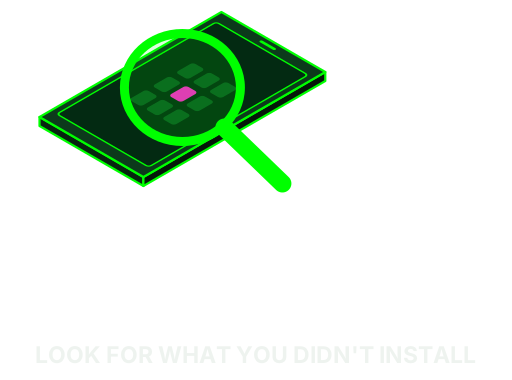
2.2 What the signs you notice mean
Battery, codes you didn't ask for, strange links, noises...
| What you notice | What it usually is |
|---|---|
| Battery drains fast, phone runs hot, uses a lot of data | An old battery or an ordinary app. It could be a spy app, but this alone proves nothing. Check which app is using power in your battery settings. |
| Noise or echo on calls | Bad signal. A modern wiretap makes no sound. |
| Verification codes you didn't request | Someone is trying to get into that account. Change the password and turn on two-step verification. |
| Odd message with a link, even if it's from your bank or "a friend" | It's a scam (phishing). Don't open it. If you already did, save it and keep reading. |
| Someone knows things you've only said on your phone | Check your open sessions first. If there's nothing there, go to step 3. |
| Official alert from Apple, Google or WhatsApp about spyware attacks | This one is serious: it means someone tried, not that you're infected. Only an analysis can confirm it. Step 3. |
Expensive spyware shows no signs. A phone working fine doesn't rule it out, and a phone working badly doesn't confirm it.
Myths and false alarmsIncluding the "trick" of turning your phone off for five minutes.
"Turning your phone off for five minutes a day protects it." Pedro Sánchez talked about it (opens in a new tab) in October. There's some truth to it: a lot of commercial spyware doesn't survive a reboot, so restarting often helps. But it doesn't fix the flaw (opens in a new tab) it got in through, and they can get back in.
"Battery, heat or clicks = tapped." On their own they prove nothing.
"An app says I'm clean, so I am." It only means it didn't find what's already known. It gives false security.
"Apple alert = infected." It indicates an attempt (opens in a new tab). Confirmation comes from a forensic analysis.
"The first thing to do is wipe it." That destroys the evidence. Get help first.
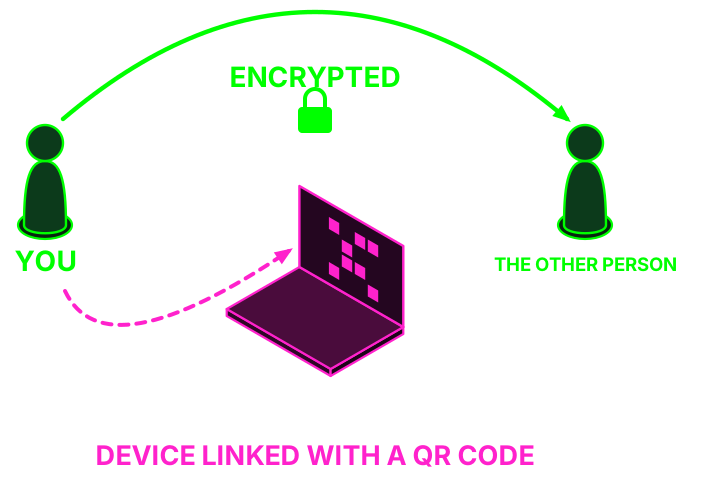
"On Signal nobody can read me." The encryption works, but if you're tricked into linking another device with a QR code (opens in a new tab), that device gets your new messages. Don't scan a QR code to "verify" anything unless you started the linking yourself.
"In airplane mode I'm invisible." Only turning it off (opens in a new tab) gives you that guarantee.
"I have nothing to hide." Surveillance also affects the people you talk to: sources, comrades, family.
2.3 Pick your device and tap to open the steps
 iPhone, 7 steps
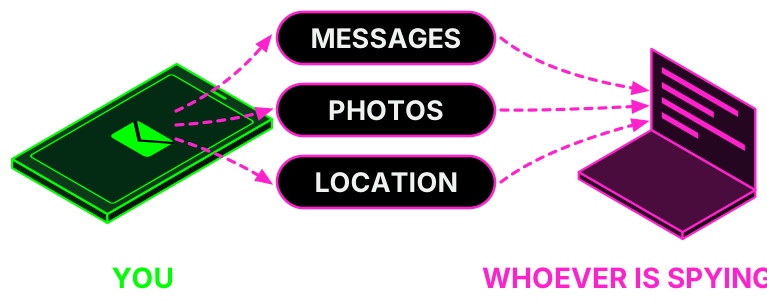
- See if Apple has warned you. Threat notifications show up on the lock screen and in Settings, in an email from
threat-notifications@and in a notice at the very top of account.apple.com (opens in a new tab). In these, Apple never asks you to tap links, install anything or give passwords or codes. If it asks, it's fake. If it's real, go to step 3.email.apple.com - Safety Check: Settings > Privacy & Security > Safety Check > Manage Sharing & Access. It shows who can see your location and your stuff, and which devices are on your account. "Emergency Reset" cuts off all access at once.
- Profiles: Settings > General > VPN & Device Management. If nothing appears, you don't have any installed, which is normal on a personal phone. If there's a profile you don't recognize, take a photo and ask before deleting it. If the phone belongs to your employer or school, it may be theirs.
- Face ID: Settings > Face ID & Passcode. If there's an "Alternate Appearance" that isn't yours, someone else can unlock the phone. Also change your passcode if anyone knows it.
- Apps: scroll down to the App Library, type in the search box and go through the list. Look for anything you don't remember installing.
- Update: Settings > General > Software Update. Unless you have strong suspicions, this is one of the best things you can do.
- If you're at high risk: Settings > Privacy & Security > Lockdown Mode. It limits quite a few things on the phone, but it's the strongest defense it has against commercial spyware.
 Android, 7 steps
Menus vary by brand. If you can't find something, use the search bar at the top of Settings.
- Play Protect: in the Play Store, your profile icon > Play Protect > Settings. Check that it's still on and run a scan. If it's off and you didn't turn it off, that's a bad sign.
- Accessibility: Settings > Accessibility, in the installed or downloaded apps section. This permission lets an app read your screen and is the favorite of spy apps. If there's one you don't know, be careful.
- Admins: in Settings > Security, search for "device admin apps". On a personal phone you should only see things from Google or the manufacturer.
- Special permissions: in Settings > Apps > Special app access, check "Notification access" and "Install unknown apps".
- Apps: in Settings > Apps, show all of them, including system apps. Be wary of blank or generic names like "Sync", "Service" or "System", with no icon and with microphone, location or SMS permissions. If in doubt, look it up from another device.
- USB debugging: if it's on in Developer options and you didn't turn it on, that's a sign.
- If you're at high risk: in Settings > Security & privacy > Other settings > Advanced Protection, if your phone has it (Android 16 or later).
 Computer, 5 steps
- Remote control: look through your programs for TeamViewer, AnyDesk or similar that you didn't install. They're normal programs, but they let someone operate your computer from outside. Windows: Settings > Apps > Installed apps. Mac: Applications folder.
- What starts by itself: Windows: Task Manager > Startup apps. Mac: System Settings > General, under Login Items. Look for anything you don't recognize.
- Remote management on Mac: System Settings > General > Device Management. If the Mac is personal, nothing should appear.
- Scan: on Windows, Windows Security > Virus & threat protection and run a full scan. Check your browser extensions for any you didn't add.
- Update your system and browser, unless you have strong suspicions.
If you want to go a step further, Zero Breach Toolkit looks for traces of known spyware on your computer and uploads nothing to the internet. It only looks at that computer: it won't tell you if your phone is infected.
↑ Back to choosing a device2.4 What to do with what you found
That doesn't guarantee you're clean. If you have no reason to think someone is after you, keep things updated and use different passwords and two-step verification.
Take dated screenshots and close that session. If it's still not clear, go to get help.
Stop there. Don't delete or restore anything, and get help.
2.5 Make it harder next time
10-minute routineDo it every so often.
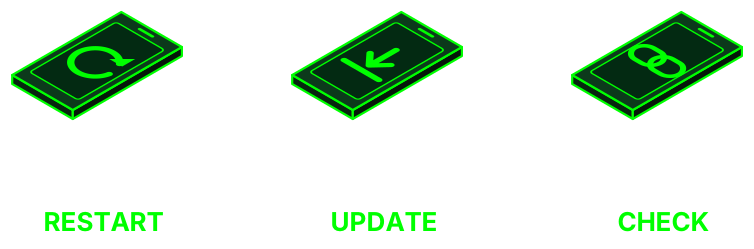
- Restart your phone.
- Install pending updates, for the system and your apps.
- Go through your linked devices on WhatsApp, Signal, Telegram and Google.
- Use a long unlock code, not a pattern or four digits.
- Delete apps you no longer use.
Lock down your accountsPasswords, keys and phone theft.
- Avoid SMS as a second factor if you have another option: it's the weakest (opens in a new tab). A passkey or an authenticator app is better.
- Physical keys if you're at risk: register two, because if you lose your only one you're locked out.
- Stolen iPhone: turn on Stolen Device Protection (opens in a new tab) in Settings > Face ID & Passcode.
- Before a strike or a protest, read this part.
Get help
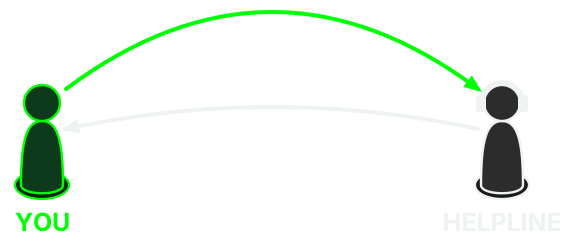
You can come straight here without doing any of the above.
3.1 Helplines
| Who | What for |
|---|---|
| Access Now, Digital Security Helpline (opens in a new tab) | Activists, journalists, human rights defenders and collectives. Free, 24 hours, in Spanish as well. They verify who you are first. |
| Amnesty International, Security Lab (opens in a new tab) | Journalists, activists and organizations at risk from targeted attacks. |
| INCIBE (opens in a new tab): 017 |
|
3.2 Guides to follow, in Spanish
- Digital First Aid Kit (opens in a new tab): guides you based on what's happening to you.
- TeknoKasa digital self-defense guides (opens in a new tab), from Madrid: locking your phone, being arrested and more.
- Assess your risks (opens in a new tab), from the EFF: six questions to make your plan.
- Mercenary spyware (opens in a new tab), from SocialTIC.
- Data Detox Kit (opens in a new tab), from Tactical Tech.
- Self-care for people going through this (opens in a new tab), from the same kit.
3.3 Meeting points
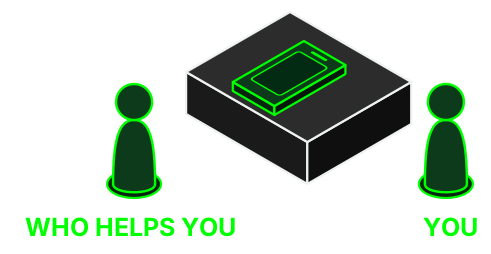
We're setting up places to check phones in person. We'll post them here.
If you go to a meeting point
- Bring your phone charged, its cable, your unlock code in your head and a list of what's happened, with dates.
- You have the right to see everything that's done and to say no.
- Nobody needs your passwords. You type them in yourself.
- Ask what data gets copied, where it's stored and when it's deleted.
- Be wary of anyone online offering to "clean your phone": it's a classic scam.
How to write down what happensA template so you don't lose the evidence.

It's useful for you and for whoever helps you. Copy this onto paper or a device you trust, with one line for each odd thing:
Date and time:
Device or account:
What happened:
Number, email or link involved:
Screenshot saved (where):
Who I've told:
- Take screenshots before blocking or reporting an account: afterwards it may disappear.
- Don't open suspicious links to see what they are. Copy the text without tapping it.
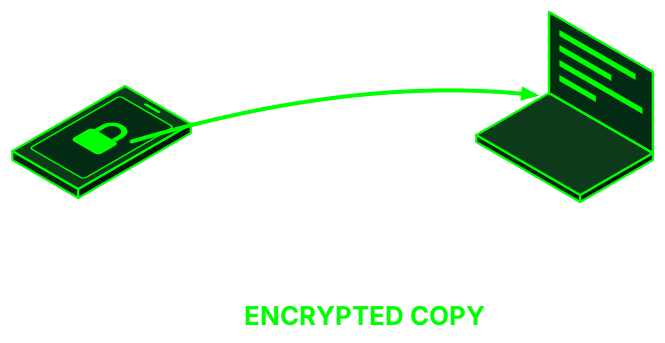
- Keep an encrypted copy. If it's overwhelming, ask someone you trust to handle it.
- To file a complaint in Spain, this guide (opens in a new tab) explains how to present the evidence.
Techie zone: the lab
For hacklabs and anyone who wants to learn.
This part is for setting up the lab. You don't need it to check your phone. The commands don't fix anything on their own: a "clean" doesn't mean clean and a match doesn't mean infection.
Consent.
- Only your own phone, or that of someone who asks you and is present.
- Analyzing someone else's without permission can be a crime.
- MVT's license explicitly forbids it.
 MVT + AndroidQF (opens in a new tab)
 PiRogue Tool Suite (opens in a new tab)
 Rayhunter (opens in a new tab)
Logos belong to their respective projects and are used only to identify them. This hacklab has no connection with them.
What each tool is
| Tool | What it does | Who it's for |
|---|---|---|
| Zero Breach Toolkit | Looks for published spyware traces on computers, in iPhone backups and in data collected from Android. It has a graphical interface and gives results in plain language. | A first pass, for people without much technical background. |
| MVT (Amnesty) | Forensic analysis: extracts logs and compares them against lists of indicators. | Terminal. The project itself says it isn't for self-diagnosis. |
| PiRogue (PTS) | A Raspberry Pi acts as a router and analyzes the phone's traffic. It doesn't look inside the phone: it looks at who the phone talks to. | For people who know networking. |
They complement each other: the first two look at what's stored on the device, and PiRogue at what it does on the network while you watch.
How to set up the stationThe first thing, before touching any phone.
- A trusted laptop with an encrypted disk, dedicated if possible. If the computer is compromised, everything is.
- Backups contain the person's whole life: messages, photos, history. They stay local and encrypted, and get deleted when that person decides.
- Nothing goes to the cloud or to online analysis services without their authorization.
- Update the indicators the same day. With old lists, the result is worthless.
- If you get a credible positive, stop touching things and pass the case to Security Lab or Access Now.
Triage of a caseWhat to do and in what order.
╔═══════════════════╗      ╔════════╗           ╔══════════════════╗      ╔═════════╗      ╔════════════╗                 ╔══════════════╗
║        CASE       ║      ║  IOC   ║           ║     ACQUIRE      ║      ║   HASH  ║      ║  ANALYZE   ║                 ║   ESCALATE   ║
╟───────────────────╢      ╟────────╢   phone   ╟──────────────────╢      ╟─────────╢      ╟────────────╢   if in doubt   ╟──────────────╢
║      consent      ║─────▶║ latest ║──────────▶║ backup/AndroidQF ║─────▶║ custody ║─────▶║ 1 coverage ║────────────────▶║  Access Now  ║
║ hypothesis, dates ║      ╚════════╝           ╚══════════════════╝      ╚═════════╝      ║  2 alerts  ║                 ║ Security Lab ║
╚═══════════════════╝                                                                      ╚════════════╝                 ╚══════════════╝
╔═══════════════════╗
║        CASE       ║
╟───────────────────╢
║      consent      ║
║ hypothesis, dates ║
╚═══════════════════╝
          │
          ▼
      ╔════════╗
      ║  IOC   ║
      ╟────────╢
      ║ latest ║
      ╚════════╝
          │ phone
          ▼
 ╔══════════════════╗
 ║     ACQUIRE      ║
 ╟──────────────────╢
 ║ backup/AndroidQF ║
 ╚══════════════════╝
          │
          ▼
     ╔═════════╗
     ║   HASH  ║
     ╟─────────╢
     ║ custody ║
     ╚═════════╝
          │
          ▼
    ╔════════════╗
    ║  ANALYZE   ║
    ╟────────────╢
    ║ 1 coverage ║
    ║  2 alerts  ║
    ╚════════════╝
          │ if in doubt
          ▼
   ╔══════════════╗
   ║   ESCALATE   ║
   ╟──────────────╢
   ║  Access Now  ║
   ║ Security Lab ║
   ╚══════════════╝
Order suggested by this hacklab based on the sources. None of them sets a single order.
- Before touching anything. Explicit consent, who they're afraid of and since when. Dates: Apple alert, strange message, arrest, phone held. Without a hypothesis and dates, the timeline tells you nothing.
- High risk or official alert. Go straight to Access Now or Security Lab. You don't need to analyze first to ask for help.
- Don't touch it more than you need to. Our call: no resetting, updating or uninstalling before acquiring. Safari history only lasts a few months, and resetting settings can wipe traces.
- Up-to-date indicators, on your machine and before connecting the phone.
- Acquire first, analyze later. What you've acquired can be reanalyzed when new indicators come out. The phone won't be in the same state.
- Calculate hashes as soon as you finish.
- Analyze and look at coverage first: what couldn't be read. Then the alerts.
- Network last. PiRogue takes days of use on wifi only. It helps if you suspect current activity, and a clean capture says nothing about the past.
iPhone
pymobiledevice3 usbmux list
pymobiledevice3 lockdown info
mkdir -p ./caso/copia
pymobiledevice3 backup2 backup --full ./caso/copia/
Always encrypted: without encryption, Safari history and state, and calls, are missing. If you suspect physical access, a backup isn't enough because it doesn't contain those records: you need a sysdiagnose or an extraction, ideally in expert hands. mvt-ios check-sysdiagnose without plugins only pulls device data, and it says so.
Android
sha256sum -c --ignore-missing checksums.txt
chmod +x androidqf_linux_amd64_1.8.3
./androidqf_linux_amd64_1.8.3 -output ./caso
Reasonable answers. Backup: Only SMS. Apps: Only non-system packages. Remove apps signed with a trusted certificate: No. Hash on the phone: No, because it's slow and can stop the collector. Intrusion Logs: Yes only if they were turned on.
Intrusion Logs: DNS and connections per app, process launches, ADB commands. Android 16 or later, for now on Pixel according to Security Lab (May 2026), with Advanced Protection. They aren't retroactive: they have to be turned on beforehand. They contain browsing history.
Sources: MVT iOS (opens in a new tab), MVT Android (opens in a new tab), AndroidQF (opens in a new tab), Security Lab (opens in a new tab), Zero Breach (opens in a new tab).
Chain of custody and hashesWho touched what, when and with what.
It does two things: lets another analyst trust your copy and, if the case ends up in court, shows it hasn't been altered. For its legal validity, ask a lawyer before you start.
Log
case: 2026-001          person: (pseudonym; the key, kept apart)
consent: date, scope, who records it
device: model, OS, patch, unlocked by them?
when       who     role       action                hash
2026-11-06 ana     analyst    receives, makes copy  -
2026-11-06 ana     analyst    sha256 of the copy    ab12...
2026-11-07 ana     analyst    hands over to helpline ab12...
One identifier per device, one line for each person who handles it, a seal if you keep it. Times in UTC. Also write down the tool versions.
iPhone
cd ./caso/copia/<UDID>
find . -type f -print0 | sort -z | xargs -0 sha256sum > ../copia.sha256
sha256sum -c --quiet ../copia.sha256
decrypt-backup and check-backup accept --hashes: it saves the SHA-256 of each file in info.json and prints the hash of that info.json. Write it down.
Android
AndroidQF leaves a hashes.csv inside the ZIP (entry and SHA-256 of the contents, no header) and acquisition.json with the status of each module.
sha256sum <UUID>.zip >> caso.sha256
unzip -q <UUID>.zip -d adq/ && cd adq/
python3 -c "
import csv,hashlib
for n,h in csv.reader(open('hashes.csv')):
    if hashlib.sha256(open(n,'rb').read()).hexdigest()!=h: print('MAL',n)"
jq -r '.module_results[]|select(.status!="completed")|[.name,.status,.error]|@tsv' acquisition.json
If the check prints nothing, everything matches. hashes.csv sits inside the archive itself and doesn't protect against someone rebuilding the ZIP: hence the external hash, stored elsewhere. A partial or failed module means an incomplete acquisition, and that goes in the report.
Encrypting from the source
age-keygen -o privada.txt     # on another machine; it doesn't travel with you
# the public key (age1...) goes in key.txt, next to the binary
./androidqf_linux_amd64_1.8.3 -output ./caso
age --decrypt -i privada.txt -o <UUID>.zip <UUID>.zip.age
With key.txt, AndroidQF writes <UUID>.zip.age and leaves no plaintext ZIP. Whoever carries the laptop can't decrypt it, even if forced to. Without encryption, a failure can leave plaintext temp files behind.
Sharing and deleting
- Ask the helpline how they want to receive it.
- Use TLP to mark how far it can be shared and PAP for what can be done with it. PAP:RED: nothing detectable from outside.
- Detached signature to prove origin:
gpg --detach-sign caso.sha256. - For deleting, PTS says
shred -u. On SSDs don't trust it: what protects you is the encrypted disk.
Sources: PTS g6 (opens in a new tab), PTS g4 (opens in a new tab), Colander: custody (opens in a new tab), AndroidQF: archives (opens in a new tab).
Zero Breach ToolkitA first pass. Has a graphical interface.
Very young, anonymous project. The repository was created in October 2026, its README says the project is anonymous and we haven't found any independent audit. Versions 2.0.0 to 2.0.2 could show green without having finished checking a phone: run it again with the latest stable release. There are repositories with similar names. Only download from interplains/Zero-Breach-Toolkit (opens in a new tab).
Installation. Download the program for your system (Windows, Mac or Linux) and open it. Since it isn't signed yet, your system and some antivirus programs will warn you. Check its origin first:
gh attestation verify <file> --repo interplains/Zero-Breach-Toolkit
gpg --verify SHA256SUMS.txt.asc SHA256SUMS.txt
sha256sum -c SHA256SUMS.txt
Update the indicator lists before running the check. The analysis uploads nothing to the internet.
Computer. Close your browsers and messaging apps, choose the "Standard" check (15 or 20 minutes) and press "Start check".
iPhone. It analyzes a backup on the computer, never on the phone itself. Connect it, tap Trust and make a backup with "Encrypt local backup" checked (Finder on Mac, Apple Devices on Windows). In the program choose "A phone" and drag in the backup folder, which is here:
Mac:     ~/Library/Application Support/MobileSync/Backup
Windows: %USERPROFILE%\Apple\MobileSync\Backup
Android. Turn on Developer options (tap Build number seven times) and USB debugging. Connect with a data cable and authorize the computer. In the program, "A phone" and the option to collect from Android over USB. Keep the phone unlocked. When you're done, turn USB debugging off.
Guided collection on Android is experimental. Answer: Backup, Only SMS; Apps, Only non-system; Remove trusted, No; everything else, No. Accept "Back up my data" on the phone.
How to read it
Nothing from the public lists appears in the places it was able to read. Review the list of what it couldn't check. Spyware with no published traces won't show up.
It means "look closer", not "you're infected". Don't delete anything or visit the address it shows. Save the report and pass it to the helpline. A shared domain can produce innocent matches.
MVT (Mobile Verification Toolkit)Forensic analysis from the terminal.
It requires Python 3.11 or later and Linux or Mac. On Windows, through WSL. It has its own license that restricts use without consent, so it isn't free software in the strict sense.
sudo apt install python3 python3-venv python3-pip sqlite3 libusb-1.0-0 pipx
pipx ensurepath
pipx install mvt
mvt download-iocs
After pipx ensurepath, open a new terminal. MVT requires Python 3.11, so Ubuntu 22.04 won't work out of the box.
MVT goes online by default: it follows shortened links, which can touch the infrastructure behind the link received. Turn that off like this:
export MVT_NETWORK_ACCESS_ALLOWED=false
iPhone
An encrypted backup exposes more records, such as Safari history. You can make one from Finder or Apple Devices, or from the terminal:
sudo apt install usbmuxd
pipx install pymobiledevice3
pymobiledevice3 lockdown pair
pymobiledevice3 backup2 encryption on 'PASSWORD'
pymobiledevice3 backup2 backup --full ./copia/
If it already had a backup password, use that one. Resetting settings only as a last resort: it can wipe traces.
That password stays in your shell history: delete it afterwards. Keep the phone unlocked. The backup appears in a subfolder named with the phone's UDID. To decrypt and analyze it:
read -rs MVT_IOS_BACKUP_PASSWORD; export MVT_IOS_BACKUP_PASSWORD
mvt-ios decrypt-backup -d ./descifrada ./copia/<UDID>
unset MVT_IOS_BACKUP_PASSWORD
mvt-ios check-backup --output ./salida ./descifrada
Android
MVT no longer analyzes directly over ADB. Collection is done with AndroidQF (opens in a new tab): turn on USB debugging, authorize the computer, run the binary and answer what it asks. Then:
unzip <UUID>.zip -d adq/
mvt-android check-androidqf --output ./salida ./adq
Always extract the AndroidQF ZIP and use --output. In a test with synthetic data, passing the ZIP directly gave 0 alerts and no clear warning. This hasn't been confirmed on a real phone.
The --virustotal option is off by default. It sends hashes of non-system APKs and requires MVT_VT_API_KEY. Leave it off unless the person agrees.
PiRogue Tool SuiteA Raspberry Pi that analyzes traffic.
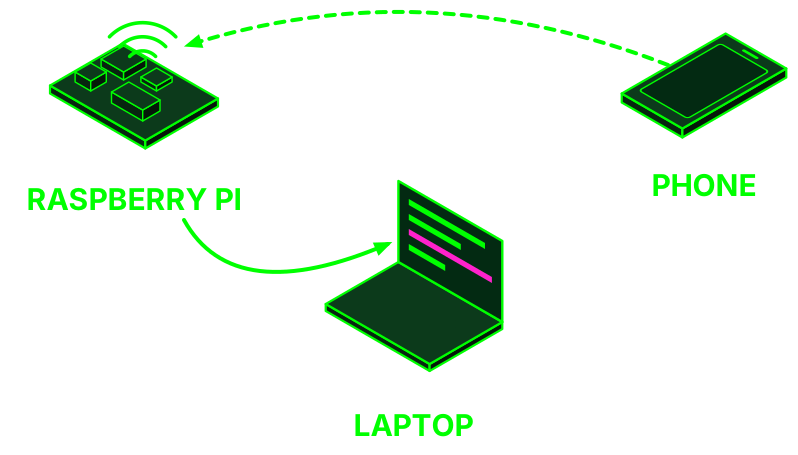
It's a Raspberry Pi that creates a wifi network. You connect the phone to it and the Pi analyzes all the traffic live with Suricata, using ProofPoint ET Open rules and Echap's stalkerware indicators.
Hardware: to get alerts, a Raspberry Pi 4 with 4 or 8 GB: the 3B, the 3B+ and the Pi 4 with 1 or 2 GB can't run Suricata. It handles 2 or 3 phones. The Pi 5 uses a separate experimental image. It can also run on a PC or in a VM. Power supply, 32 GB microSD (64 GB for long captures) and a network cable.
Installation
Download the PiRogue OS image from the official guide (opens in a new tab), check the hash and flash it with Balena Etcher. Connect the Pi by cable and log in:
sha256sum PiRogue-OS-*.img.xz
# initial password: raspberry, change it on first login
ssh pi@pirogue.local
sudo apt update
sudo apt dist-upgrade -y
sudo apt install pirogue-base -y
sudo reboot
During installation answer No to saving the IPv4 and IPv6 firewall rules, and Yes to rootless capture. Then get the wifi key and the dashboard key (in version 2.x they're random; 1.x is different, the guide explains it):
pirogue-admin-client wifi get-configuration
pirogue-admin-client dashboard get-configuration
The dashboard is at https://pirogue.local/, with a self-signed certificate. Telemetry is on by default: it sends ID, ASN, country and operating system every day. Turn it off before connecting anyone's phone:
sudo pirogue-telemetry config disable
For MVT, follow docs.mvt.re (opens in a new tab): the PTS g7 guide uses commands that have since been removed.
Capture
Start the capture before turning on the phone's wifi, or you'll miss the first connections. On the phone: airplane mode, wifi only and no VPN. Flows show up on the dashboard after about 4 minutes. Leave it for about 3 days of normal use. The dashboard keeps 5 days of data.
To capture to a file and open it later in Wireshark:
sudo tcpdump -i wlan0 -w $(date +%Y%m%d%H%M)_captura.pcap
scp pi@pirogue.local:~/*_captura.pcap .
What it means
- Security alerts: look at the time, severity, threat type, rule name and source and destination IPs. Many are noise, like ads or trackers. Read the rule before drawing conclusions.
- Flow list and map: look for odd domains, large data transfers at odd hours or regular connections while the phone is idle. Check who owns each destination. Most will be Apple, Google and the usual apps.
- Limits: nearly everything is encrypted, so you see who it connects to and how much, not the content. Suricata only detects what's already known. No alerts guarantees nothing.
- Privacy: the capture is a portrait of the person's life. Treat it like any other backup: local, encrypted and deleted when you're done.
The project itself recommends that, in risky situations, the analysis be followed up by professionals. PTS guides (opens in a new tab)
Indicators: where they come from and how to use themSTIX2, updates and limits.
╔════════════════════════╗           ╔═════════════════╗
║     INVESTIGATIONS     ║   STIX2   ║  mvt-indicators ║      ╔═══════════════════╗      ╔═════╗
╟────────────────────────╢──────────▶╟─────────────────╢─────▶║ mvt download-iocs ║─────▶║ MVT ║
║ Amnesty, Echap, others ║           ║ indicators.yaml ║      ╚═══════════════════╝      ╚═════╝
╚════════════════════════╝           ╚═════════════════╝
╔════════════════════════╗
║     INVESTIGATIONS     ║
╟────────────────────────╢
║ Amnesty, Echap, others ║
╚════════════════════════╝
             │ STIX2
             ▼
   ╔═════════════════╗
   ║  mvt-indicators ║
   ╟─────────────────╢
   ║ indicators.yaml ║
   ╚═════════════════╝
             │
             ▼
  ╔═══════════════════╗
  ║ mvt download-iocs ║
  ╚═══════════════════╝
             │
             ▼
         ╔═════╗
         ║ MVT ║
         ╚═════╝
╔═════════════════╗ daily ╔════════════════╗ ╔══════════╗ ║ ET OPEN + ECHAP ║──────────▶║ suricata.rules ║─────▶║ SURICATA ║ ╚═════════════════╝ ╚════════════════╝ ╚══════════╝
╔═════════════════╗
║ ET OPEN + ECHAP ║
╚═════════════════╝
         │ daily
         ▼
 ╔════════════════╗
 ║ suricata.rules ║
 ╚════════════════╝
         │
         ▼
    ╔══════════╗
    ║ SURICATA ║
    ╚══════════╝
An indicator is a specific piece of data published after an investigation: domain, process name, hash, app ID. If it doesn't show up, that only means it doesn't show up.
- mvt-indicators (opens in a new tab): the list MVT downloads. Pegasus, Predator, RCS Lab, stalkerware and others.
- AmnestyTech/investigations (opens in a new tab): those from Amnesty's investigations.
- Echap (opens in a new tab): stalkerware. It also feeds the PiRogue rules.
mvt download-iocs                  # on Linux: ~/.local/share/mvt/indicators; loaded automatically
mvt-ios check-backup --iocs caso.stix2 --output ./salida ./descifrada
export MVT_STIX2="/ruta/uno.stix2:/ruta/dos.stix2"
mvt-ios check-iocs --iocs nuevo.stix2 ./salida      # on results already extracted
On Android, to apply new indicators, run check-androidqf again on the saved acquisition.
Offline. MVT resolves shortened links with a HEAD request and checks for version and indicator updates:
export MVT_NETWORK_ACCESS_ALLOWED=false
mvt-ios --disable-update-check --disable-indicator-update-check check-backup ...
Your own STIX2
MVT implements a subset: one value per pattern, no boolean expressions. Types: domain-name:value, url:value, process:name, email-addr:value, file:name, file:path, file:hashes.md5/.sha1/.sha256, app:id, configuration-profile:id, android-property:name. Each module only uses the ones relevant to it.
{"type":"bundle","id":"bundle--11111111-1111-4111-8111-111111111111","objects":[
 {"type":"malware","spec_version":"2.1","id":"malware--22222222-2222-4222-8222-222222222222",
  "created":"2026-11-06T00:00:00.000Z","modified":"2026-11-06T00:00:00.000Z",
  "name":"caso-prueba","is_family":false},
 {"type":"indicator","spec_version":"2.1","id":"indicator--33333333-3333-4333-8333-333333333333",
  "created":"2026-11-06T00:00:00.000Z","modified":"2026-11-06T00:00:00.000Z",
  "pattern":"[app:id='com.ejemplo.sospechosa']","pattern_type":"stix",
  "valid_from":"2026-11-06T00:00:00.000Z","indicator_types":["malicious-activity"]},
 {"type":"relationship","spec_version":"2.1","id":"relationship--44444444-4444-4444-8444-444444444444",
  "created":"2026-11-06T00:00:00.000Z","modified":"2026-11-06T00:00:00.000Z",
  "relationship_type":"indicates",
  "source_ref":"indicator--33333333-3333-4333-8333-333333333333",
  "target_ref":"malware--22222222-2222-4222-8222-222222222222"}
]}
The collection takes its name from the malware object and shows up in the alert. Colander can also export a STIX2 feed.
Sources: MVT: IOCs (opens in a new tab), PTS g7 (Colander part only) (opens in a new tab).
How to read MVT outputThe actual files and what each module means.
                                                                                      ╔═════════════════╗
                   ╔═════════════╗      ╔════════════════╗      ╔══════════════╗      ║      OUTPUT     ║
╔════════╗         ║ ENC. BACKUP ║      ║    DECRYPT     ║      ║ CHECK-BACKUP ║      ╟─────────────────╢
║ IPHONE ║   USB   ╟─────────────╢      ╟────────────────╢      ╟──────────────╢      ║   alerts.json   ║
╚════════╝────────▶║   backup2   ║─────▶║ decrypt-backup ║─────▶║ + indicators ║─────▶║   timeline.csv  ║
                   ║   <UDID>/   ║      ╚════════════════╝      ╚══════════════╝      ║ *_detected.json ║
                   ╚═════════════╝                                                    ║   command.log   ║
                                                                                      ╚═════════════════╝
╔════════╗
║ IPHONE ║
╚════════╝
│ USB
▼
╔═════════════╗
║ ENC. BACKUP ║
╟─────────────╢
║ backup2 ║
║ <UDID>/ ║
╚═════════════╝
│
▼
╔════════════════╗
║ DECRYPT ║
╟────────────────╢
║ decrypt-backup ║
╚════════════════╝
│
▼
╔══════════════╗
║ CHECK-BACKUP ║
╟──────────────╢
║ + indicators ║
╚══════════════╝
│
▼
╔═════════════════╗
║ OUTPUT ║
╟─────────────────╢
║ alerts.json ║
║ timeline.csv ║
║ *_detected.json ║
║ command.log ║
╚═════════════════╝
╔═══════════════╗         ╔═══════════╗      ╔══════════════════╗             ╔══════════════════╗      ╔═════════════╗
║    ANDROID    ║         ║ ANDROIDQF ║      ║ <UUID>.zip[.age] ║             ║ CHECK-ANDROIDQF  ║      ║    OUTPUT   ║
╟───────────────╢   adb   ╟───────────╢      ╟──────────────────╢   extract   ╟──────────────────╢      ╟─────────────╢
║ USB debugging ║────────▶║ collector ║─────▶║    hashes.csv    ║────────────▶║ extracted folder ║─────▶║ alerts.json ║
╚═══════════════╝         ║  on phone ║      ║ acquisition.json ║             ║   + indicators   ║      ║ command.log ║
                          ╚═══════════╝      ╚══════════════════╝             ╚══════════════════╝      ╚═════════════╝
╔═══════════════╗
║ ANDROID ║
╟───────────────╢
║ USB debugging ║
╚═══════════════╝
│ adb
▼
╔═══════════╗
║ ANDROIDQF ║
╟───────────╢
║ collector ║
║ on phone ║
╚═══════════╝
│
▼
╔══════════════════╗
║ <UUID>.zip[.age] ║
╟──────────────────╢
║ hashes.csv ║
║ acquisition.json ║
╚══════════════════╝
│ extract
▼
╔══════════════════╗
║ CHECK-ANDROIDQF ║
╟──────────────────╢
║ extracted folder ║
║ + indicators ║
╚══════════════════╝
│
▼
╔═════════════╗
║ OUTPUT ║
╟─────────────╢
║ alerts.json ║
║ command.log ║
╚═════════════╝
First: did it read anything?
grep -E 'not found|ERROR|WARNING' salida/command.log
jq -r '.[]|select(.missing==true)|.relative_path' salida/manifest.json | head
A module that can't find its file ends by saying no detections, just like a clean one. On iPhone, "missing": true marks what the backup didn't acquire. With AndroidQF, extract the ZIP and pass the folder: in our test with a synthetic ZIP, passing it directly gave 0 alerts.
The files
alerts.json: all alerts. Start here. It only exists if there were any.alerts_timeline.csv: alerts by date. Replaces the oldtimeline_detected.csv.timeline.csv: everything, by date. This is where an alert starts to make sense: what happened before and after. iOS in UTC; Android in local time.<módulo>.jsonand<módulo>_detected.json: what was extracted and what matches.urls.json: links from SMS, iMessage and WhatsApp, with their destination if it was resolved.info.json: MVT version, date, indicators used and, with--hashes, hashes.command.log: full log. It goes with the report.
Levels
CRITICAL is generally a match with an indicator: check matched_indicator. HIGH: for example, VirusTotal. MEDIUM is usually a heuristic: an app installed via ADB, a quick redirect, a setting. INFO and LOW are context. MVT says it in its own output: only expert review confirms, and a lack of alerts isn't a clean bill of health.
jq -r '.[]|[.level,.module,.event_time,.message]|@tsv' salida/alerts.json | sort
jq '.[]|select(.level=="CRITICAL")|.matched_indicator' salida/alerts.json
iPhone: modules that matter
datausage: processes with network activity, inDataUsage.sqlite. It doesn't log wifi traffic. It's in the backup.netusageonly on a filesystem dump.os_analytics_ad_daily: data use per process, another source for dating executions.safari_history,safari_browser_state: encrypted backup only. Flags HTTP redirects to another domain in under a second.webkit_session_resource_log,webkit_resource_load_statistics: domains loaded, including intermediate ones.sms,sms_attachments,whatsapp: links and attachments.id_status_cache: iMessage and FaceTime accounts looked up. Empty or absent since iOS 14.7.configuration_profiles,profile_events,applications,tcc: profiles, apps from outside the App Store, permissions.global_preferences: whether Lockdown Mode is on.backup_info: model and version.manifest: index of the backup, with paths and dates.- Filesystem dump only:
shutdown_log,cache_files,analytics,safari_favicon,webkit_indexeddb,webkit_local_storage.
Android: modules that matter
aqf_packages: compares name, hash and certificate. Flags apps installed via browser or ADB, root packages and disabled security.aqf_settings: Play Protect off, accessibility, reports disabled. When Android logs it, it says who changed each setting.aqf_get_prop: security patch.root_binaries,mounts: traces of root.aqf_processes: readsps.txt, but AndroidQF 1.8.3 writesprocesses.json. Until that's cleared up, check that file by hand.dns_event,connect_event,security_event: Intrusion Logs, if there are any. DNS and connections carrypackage_name.
Sources: MVT: iOS records (opens in a new tab), Intrusion Logs (opens in a new tab), MVT code (opens in a new tab).
Pegasus traces according to AmnestyWhat was documented up to 2021. For understanding, not for diagnosing.
Read this as documented history. The report is from 2021 and traces change. Searching for these names by hand isn't a method: that's what indicators are for. The useful part is the logic: several independent traces that fit in time with the person's story.
Processes
iOS stores processes with network activity in DataUsage.sqlite (in the backup) and netusage.sqlite (not in it). Only those that used the network appear. Amnesty found a process bh right after visits to Pegasus installation domains, and confirmed there were no legitimate binaries with that name in the recent iOS versions of the time.
Most imitate real services: fmld for fmfd, aggregatenotd for aggregated, launchafd for launchd, nehelprd for nehelper, roleaccountd for xpcroleaccountd. That's why the exact spelling matters.
jq -r '.[]|select(.bundle_id==null or .bundle_id=="")|[.first_isodate,.isodate,.proc_name]|@tsv' salida/datausage.json | sort -u
According to MVT, processes without a valid bundle_id may deserve attention. It's a list to cross-check, not a result.
Half-deleted records
Pegasus deleted names from ZPROCESS without deleting the rows in ZLIVEUSAGE: usage rows remain that point to a process that doesn't exist. Amnesty always saw this alongside other indicators, and never on the clean iPhones it analyzed. It's useful for dating. It isn't proof on its own.
jq -r '.[]|select(.proc_name==null or .proc_name=="")|[.live_isodate,.live_proc_id,.wwan_in,.wwan_out]|@tsv' salida/datausage.json

# directly on the decrypted backup; file 0d/0d609c54856a9bb2d56729df1d68f2958a88426b
SELECT l.Z_PK, l.ZHASPROCESS, datetime(l.ZTIMESTAMP+978307200,'unixepoch')
FROM ZLIVEUSAGE l LEFT JOIN ZPROCESS p ON l.ZHASPROCESS=p.Z_PK WHERE p.Z_PK IS NULL;
Safari redirects
In network injection, the person requested a normal website and the browser ended up on another: a visit to Yahoo jumped to bun54l2b67.get1tn0w.free247downloads[.]com:30495/szev4hz. It stood out because of the fourth-level subdomain, the high port and the random path.
- Safari history only lasts a few months and may have been purged. Amnesty found the same domains in
Favicon.db, which MVT only reads on a filesystem dump. - Safari doesn't seem to store the full chain: intermediate domains appear in the Session Resource logs (
webkit_session_resource_log). - It also happens outside the browser: one case occurred while previewing a link inside the Twitter app.
Other leads from the report
Library/Preferences/com.apple.CrashReporter.plistinRootDomain: appears alongside infections, according to Amnesty probably to stop crash reports going to Apple. A lead, not an indicator.- Lookups of unknown iMessage accounts, in
idstatuscache, shortly before the processes. Empty or absent since iOS 14.7. - According to Amnesty, Pegasus seemed to have stopped being persistent: the binary can't be recovered from disk.
jq -r '.[]|select(.relative_path|test("CrashReporter"))|[.domain,.relative_path,.modified]|@tsv' salida/manifest.json
Android: Amnesty says there are far fewer accessible traces than on iOS, so a lack of traces counts for even less.
Source: Amnesty: Forensic Methodology Report (opens in a new tab).
Captures and Suricata rulesFrom the dashboard to the pcap.
╔═════════╗      ╔═════════════╗      ╔══════════╗      ╔═════════╗
║ TRAFFIC ║      ║   NFSTREAM  ║      ║ INFLUXDB ║      ║ GRAFANA ║
╟─────────╢─────▶╟─────────────╢─────▶╟──────────╢─────▶╟─────────╢
║  wlan0  ║      ║ flows, nDPI ║      ║  5 days  ║      ║  panel  ║
╚═════════╝      ╚═════════════╝      ╚══════════╝      ╚═════════╝
  ╔═════════╗
  ║ TRAFFIC ║
  ╟─────────╢
  ║  wlan0  ║
  ╚═════════╝
       │
       ▼
╔═════════════╗
║   NFSTREAM  ║
╟─────────────╢
║ flows, nDPI ║
╚═════════════╝
       │
       ▼
  ╔══════════╗
  ║ INFLUXDB ║
  ╟──────────╢
  ║  5 days  ║
  ╚══════════╝
       │
       ▼
  ╔═════════╗
  ║ GRAFANA ║
  ╟─────────╢
  ║  panel  ║
  ╚═════════╝
╔═════════╗ ╔════════════════╗ ╔══════════╗ ╔═════════╗ ║ TRAFFIC ║ ║ SURICATA ║ ║ INFLUXDB ║ ║ GRAFANA ║ ╟─────────╢─────▶╟────────────────╢─────▶╟──────────╢─────▶╟─────────╢ ║ wlan0 ║ ║ ET Open, Echap ║ ║ 5 days ║ ║ panel ║ ╚═════════╝ ╚════════════════╝ ╚══════════╝ ╚═════════╝
   ╔═════════╗
   ║ TRAFFIC ║
   ╟─────────╢
   ║  wlan0  ║
   ╚═════════╝
         │
         ▼
╔════════════════╗
║    SURICATA    ║
╟────────────────╢
║ ET Open, Echap ║
╚════════════════╝
         │
         ▼
   ╔══════════╗
   ║ INFLUXDB ║
   ╟──────────╢
   ║  5 days  ║
   ╚══════════╝
         │
         ▼
   ╔═════════╗
   ║ GRAFANA ║
   ╟─────────╢
   ║  panel  ║
   ╚═════════╝
╔═════════╗ ╔═══════╗ ║ TRAFFIC ║ ╔═════════╗ ║ .pcap ║ ╟─────────╢─────▶║ TCPDUMP ║─────▶╟───────╢ ║ wlan0 ║ ╚═════════╝ ║ aside ║ ╚═════════╝ ╚═══════╝
╔═════════╗
║ TRAFFIC ║
╟─────────╢
║  wlan0  ║
╚═════════╝
     │
     ▼
╔═════════╗
║ TCPDUMP ║
╚═════════╝
     │
     ▼
 ╔═══════╗
 ║ .pcap ║
 ╟───────╢
 ║ aside ║
 ╚═══════╝
NFStream aggregates packets into flows and classifies them with nDPI. Suricata raises alerts using rules. Both write to InfluxDB and Grafana displays it. The dashboard deletes after 5 days: export before that.
Capture
tmux                                                    # so it survives if SSH drops
sudo tcpdump -i wlan0 -w $(date +%Y%m%d%H%M)_captura.pcap
# now, the phone's wifi. About 3 days of normal use. Ctrl+C to stop.
sha256sum *_captura.pcap
Exporting alerts and flows
influx -database 'suricata' -execute 'SELECT * FROM "suricata"."suricata_5d"."alert"' -format 'csv' > alertas.csv
influx -database 'flows' -execute 'SELECT * FROM "flows"."flows_5d"."flow"' -format 'csv' > flujos.csv
Flows: requested_server_name, dst_ip, application_name, src2dst_bytes, dst2src_bytes, community_id. Alerts: alert_signature, alert_signature_id, alert_severity, community_id. Both tables have community_id: use it to match an alert with its flow.
Looking at the pcap without going packet by packet
tshark -r c.pcap -Y 'dns.flags.response==0' -T fields -e frame.time_epoch -e dns.qry.name
tshark -r c.pcap -Y 'tls.handshake.type==1' -T fields -e frame.time_epoch -e ip.dst -e tls.handshake.extensions_server_name
tshark -r c.pcap -q -z conv,ip
- Pull out unique domains and remove what you recognize: Apple, Google, the person's apps. Look at what's left.
- Look for regular patterns while the phone is idle and for disproportionate uploads: high
src2dst_bytes. - The server's country doesn't settle anything on its own. PTS frames it in relation to the person and their threat model.
- With encrypted DNS you'll see fewer names. An IP in the cloud doesn't tell you whose it is either.
Rules
They're in /var/lib/suricata/rules/suricata.rules and update daily: ET Open and the PTS (opens in a new tab) ones based on Echap. Suricata runs in IDS mode: it alerts, it doesn't block. When you get an alert, find its rule and read it:
grep -F 'sid:1000001;' /var/lib/suricata/rules/suricata.rules

alert dns $HOME_NET any -> any any (msg:"PTS STALKERWARE TheTruthSpy (copy9[.]com)";
  metadata: type stalkerware; dns.query; content:"copy9.com"; depth:9; nocase; endswith;
  fast_pattern; reference:url,github.com/AssoEchap/stalkerware-indicators;
  classtype:targeted-activity; sid:1000001; rev:1;)
It's a name match in a DNS query, and only that. reference says where it comes from and classtype how it's classified.
To add rules, don't edit the file, because it gets overwritten. Publish them at a URL:
sudo suricata-update add-source MIAS https://ejemplo.org/mias.rules
sudo suricata-update
sudo suricatasc -c reload-rules
To reanalyze a pcap with current rules:
mkdir -p suri/
sudo suricata -r c.pcap -S /var/lib/suricata/rules/suricata.rules -l suri/
Sources: architecture (opens in a new tab), traffic analysis (opens in a new tab), export (opens in a new tab), custom rules (opens in a new tab), g2 (opens in a new tab).
Decrypting a suspicious app's TLSOn a lab phone. Never on the person's phone.
╔════════════════╗                ╔═════════════════════════╗      ╔═══════════════╗
║ ROOTED ANDROID ║                ║         PIROGUE         ║      ║  .pcap + KEYS ║
╟────────────────╢   USB + wifi   ╟─────────────────────────╢      ╟───────────────╢
║     Frida      ║───────────────▶║ pirogue-intercept-gated ║─────▶║  traffic.pcap ║
║    lab only    ║                ╚═════════════════════════╝      ║ sslkeylog.txt ║
╚════════════════╝                                                 ╚═══════════════╝
     ╔════════════════╗
     ║ ROOTED ANDROID ║
     ╟────────────────╢
     ║     Frida      ║
     ║    lab only    ║
     ╚════════════════╝
             │ USB + wifi
             ▼
╔═════════════════════════╗
║         PIROGUE         ║
╟─────────────────────────╢
║ pirogue-intercept-gated ║
╚═════════════════════════╝
             │
             ▼
     ╔═══════════════╗
     ║  .pcap + KEYS ║
     ╟───────────────╢
     ║  traffic.pcap ║
     ║ sslkeylog.txt ║
     ╚═══════════════╝
╔══════════════════╗ tshark ╔══════════════╗ ╔══════════════════╗ ║ decrypted.pcapng ║───────────▶║ traffic.json ║─────▶║ pirogue-view-tls ║ ╚══════════════════╝ ╚══════════════╝ ╚══════════════════╝
╔══════════════════╗
║ decrypted.pcapng ║
╚══════════════════╝
          │ tshark
          ▼
  ╔══════════════╗
  ║ traffic.json ║
  ╚══════════════╝
          │
          ▼
╔══════════════════╗
║ pirogue-view-tls ║
╚══════════════════╝
Don't do this with the person's phone. It requires a rooted Android dedicated to analysis, and it's for studying one specific app. The output includes keys, plaintext and device identifiers: treat it as evidence.
PiRogue installs Frida on the test phone and pulls TLS keys from memory while capturing traffic. Not all TLS libraries are supported, so some traffic may stay encrypted. Connect the phone to the PiRogue by USB and over its wifi, install the app and don't open it.
adb devices
pirogue-intercept-gated -o $(date +%Y%m%d%H%M)_salida
# "Waiting for data": open the app, use it. Ctrl+C to stop.
cd <salida>
editcap --inject-secrets tls,sslkeylog.txt traffic.pcap decrypted.pcapng
tshark -2 -T ek --enable-protocol communityid -Ndmn -r decrypted.pcapng > traffic.json
pirogue-view-tls -i traffic.json -t socket_trace.json
If you ran it with sudo, first: sudo chown -R pi:pi <salida>. You can also open the pcap in Wireshark and point to sslkeylog.txt under Settings, Protocols, TLS.
traffic.pcap: the capture.sslkeylog.txt: keys in NSS format.socket_trace.json: call stack of each socket operation.aes_info.json: AES and RSA operations, with plaintext and ciphertext.device.json,ad_ids.txt,experiment.json,screen.mp4: device, advertising IDs, timings, video.
Source: PTS g8 (opens in a new tab).
False positives and when to escalateBefore you say anything to anyone.
What's usually noise
- Your own acquisition: it leaves traces of USB debugging and ADB shell. Place your own activity on the timeline before reading it.
- Apps from outside Play Store: an alternative store is INFO; via browser or ADB, MEDIUM. MVT doesn't know if that's normal for this person.
- Profiles and MDM: normal on a work or school phone, or a DNS filter the person set up.
- Settings: accessibility turned on or reports disabled may be the person's own decision. Check who and when.
- Old patch: that's about risk, not infection.
- Quick redirect (MEDIUM): from HTTP to another domain in under a second. Our call: ads and link shorteners do this too.
- A saved page that mentions the address is usually a news article about the spyware. A shared domain can also produce innocent matches.
- Processes without
bundle_id: on their own they prove nothing. - Suricata rules: many are noise, like ads or trackers. Read the rule.
- Rayhunter: false alarms when a plane lands, null ciphering from badly configured networks, and heuristics that vary between the US and Europe.
Before you say anything to them
Our call. For each match:
- Which exact indicator, from which collection, and which value on the phone matched? Read the indicator's source.
- Does the date fit their story and the campaign?
- What comes before and after in
timeline.csv? Is there a second independent trace? - Have someone else review it. Say "something here needs review", not "you're infected", and don't use that phone to talk about the case.
When to escalate
- Any CRITICAL match that survives the above.
- An official alert from Apple or another platform, even if nothing shows up.
- Journalists, activists or human rights defenders at risk, even if it comes up clean: public indicators aren't enough, and reliable support requires non-public indicators.
- Suspected physical access: phone held or extraction tools.
- A trace you don't understand. That counts too.
Stop. Don't reinstall, don't reset, don't delete anything and don't visit the addresses. Keep the acquisition, hashes and command.log, and ask how they want to receive them. Don't upload it anywhere.
- Access Now Digital Security Helpline (opens in a new tab): civil society, activists, media, human rights defenders. Free, 24/7, 10 languages, including Spanish. They say they respond within two hours. They check that the case falls within their mandate.
help@accessnow.org, with PGP (opens in a new tab). - Amnesty Security Lab (opens in a new tab): journalists, activists and organizations at risk of targeted attacks.
Sources: MVT (opens in a new tab), PTS g2 (opens in a new tab), Rayhunter (opens in a new tab), Zero Breach (opens in a new tab).
Fake cell towers: 2G and RayhunterFor organizers of an event or action.
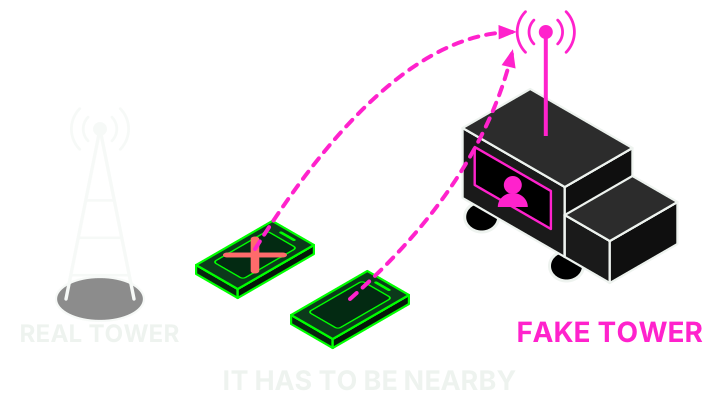
An IMSI catcher is a fake cell tower that identifies nearby phones. Unlike spyware, it doesn't touch the phone, and whoever runs it has to be in the area.
- Turn off 2G: Android Advanced Protection (opens in a new tab) blocks it on supported phones, and on iPhone Lockdown Mode (opens in a new tab) disables 2G and 3G. You may lose service where those are all there is.
- Rayhunter (opens in a new tab) (EFF) looks for signs of fake cell towers using a cheap mobile router. For Europe they recommend (opens in a new tab) the TP-Link M7350, but don't buy hardware version 10.0 (opens in a new tab): it's the one sold new and it doesn't work. Look for a used one and confirm the version before paying. It needs a SIM from a local carrier, even without an active plan, and an SD card formatted as FAT.
./installer tplink                # dashboard at http://192.168.0.1:8080
rayhunter-check -p captura.qmdl   # reanalyze on your computer
Turn off power saving in the TP-Link admin panel or it will stop recording. The heuristics (opens in a new tab) look for IMSI requests without authentication, downgrades to 2G, null ciphering and incomplete SIBs. An alert doesn't prove there's a fake tower. The capture may contain your IMSI and nearby towers, which can reveal where you were. Outside the US, the EFF advises consulting a lawyer.
How commercial spyware gets in
These are the three routes documented in Amnesty International's investigations. Knowing how it gets in helps you know what to look for.
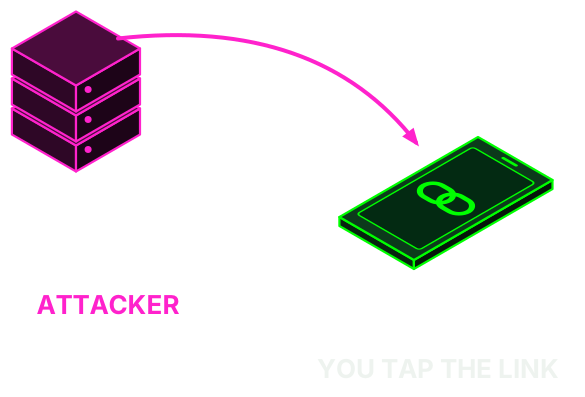
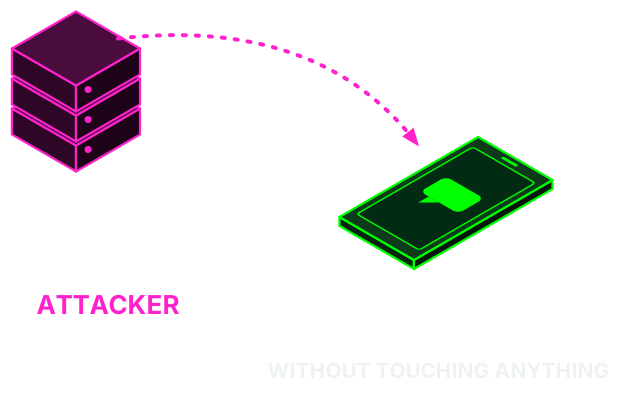
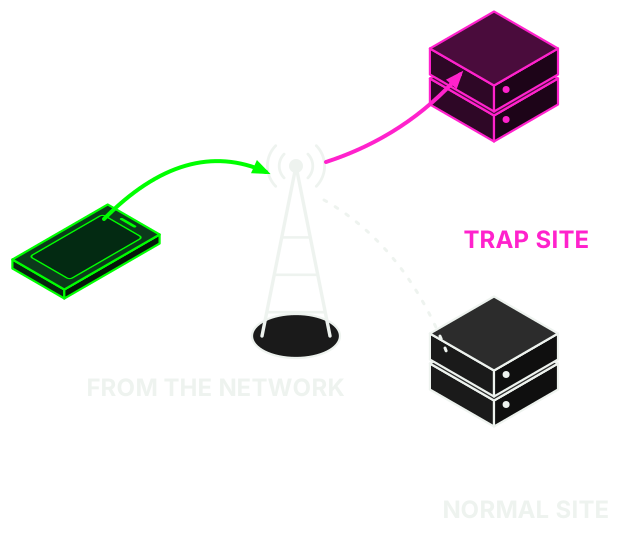
Our own diagrams, based on Forensic Methodology Report: How to catch NSO Group's Pegasus (opens in a new tab) (2021) and Predator Files: Technical deep-dive (opens in a new tab) (2023), by Amnesty International. This hacklab has no connection with Amnesty International.
Take back the rest of your digital life
At resetea.net.


About this guide
Maintained by Hacklab la Raíz. Its claims come from the sources linked below. It does not replace a forensic analysis or a lawyer. If you spot a mistake or a menu that has changed, write to hacklab-laraiz@riseup.net.
Sources
Reviewed in November 2026. Menus and phone numbers change: if something doesn't match, trust the official source.
- Amnesty International: Pegasus forensic methodology (opens in a new tab) and Predator Files (opens in a new tab)
- BOE-B-2026-33966: Guardia Civil contract (opens in a new tab)
- Digital First Aid Kit (opens in a new tab), EFF: Surveillance Self-Defense (opens in a new tab), Coalition Against Stalkerware (opens in a new tab) and Tactical Tech: Holistic Security (opens in a new tab)
- Apple: threat notifications (opens in a new tab), Lockdown Mode (opens in a new tab) and Safety Check (opens in a new tab)
- Google: Play Protect (opens in a new tab) and Advanced Protection (opens in a new tab)
- Vodafone: call forwarding (opens in a new tab) and O2: contact (opens in a new tab)
- Selectra: call forwarding codes 2026 (opens in a new tab)
- Zero Breach Toolkit (opens in a new tab), MVT (opens in a new tab), AndroidQF (opens in a new tab) and PiRogue Tool Suite (opens in a new tab)